
Adding and editing listings
A listing is a property plus everything you need to sell it: photos, price, description, and a public page you can send to anyone.
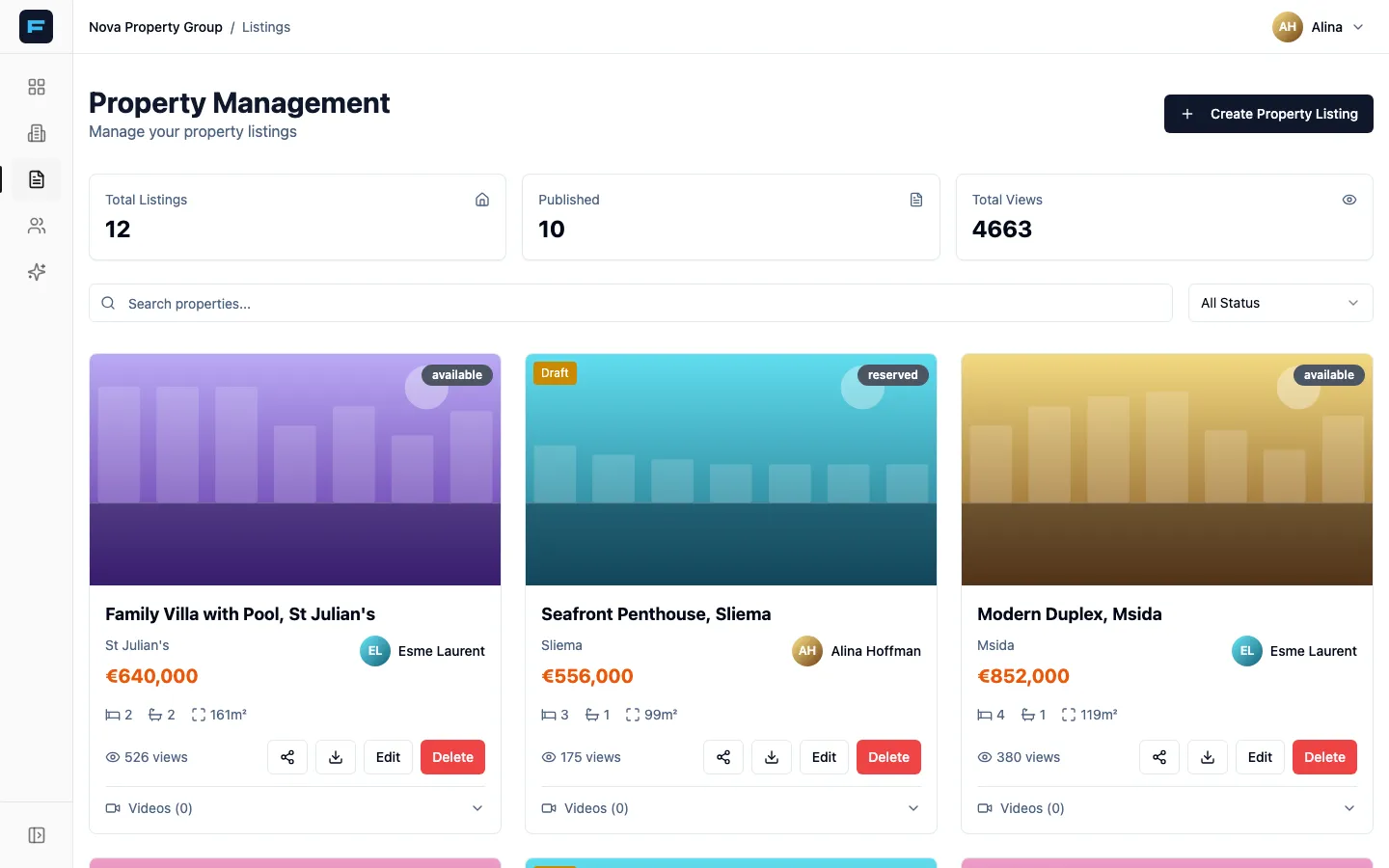
Across the top you get Total Listings, Published, and — if your agency has it switched on — Total Views. Below that, search and a status filter, then the properties themselves as cards.
Creating a listing
Section titled “Creating a listing”Press Create Property Listing at the top right.
-
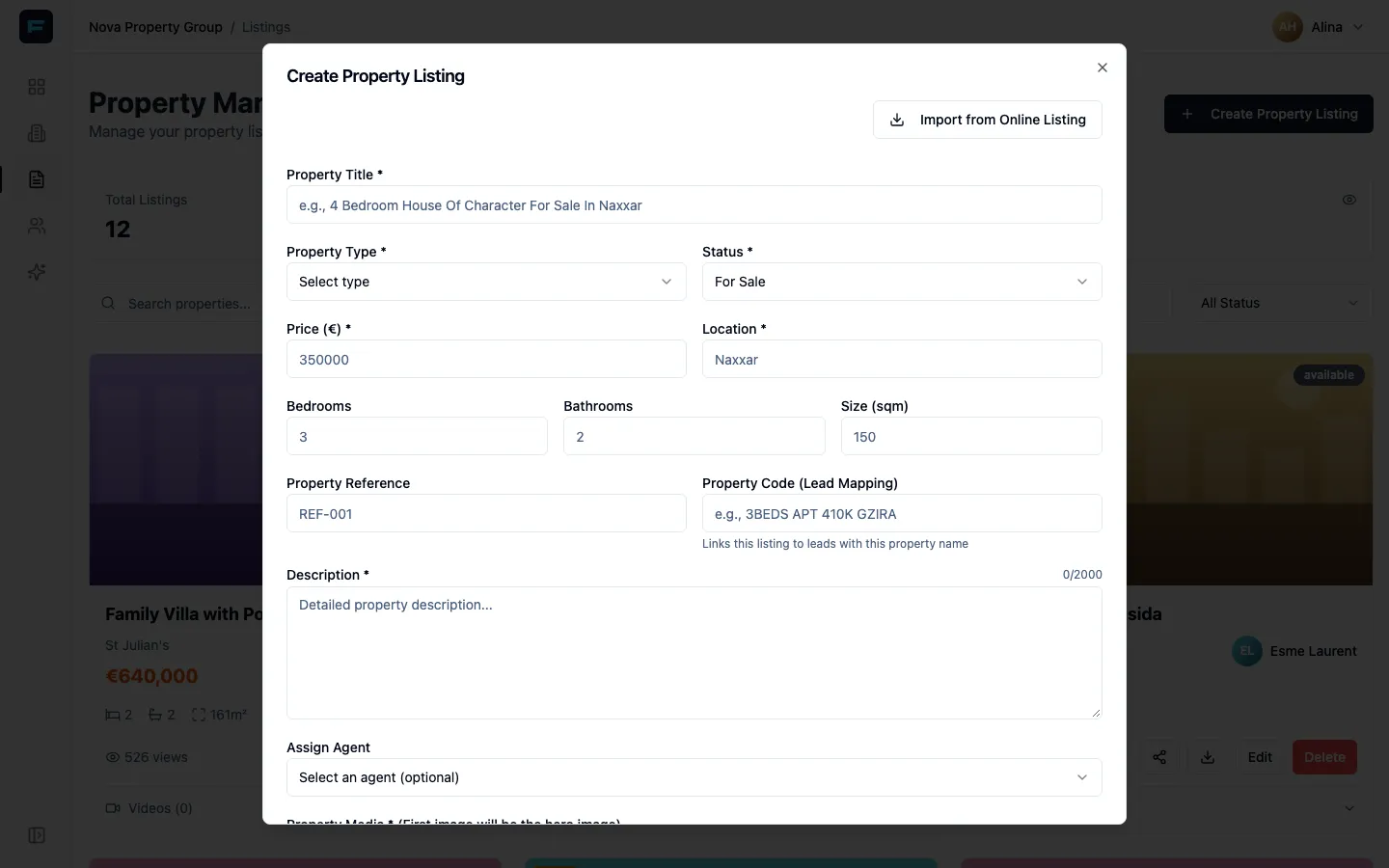
Start from a URL if you can. The Import from Online Listing shortcut at the top right takes a listing address from elsewhere and pulls in the details and photos. Always check what it imported.
-
Fill in the required fields. Property Title, Property Type, Status, Price, Location and Description are required. Everything else is optional.
-
Add the numbers buyers filter on — bedrooms, bathrooms, size in square metres. A listing without them looks unfinished on its public page.
-
Upload the photos. The first image becomes the header image on the public page. Put your best exterior or main living space first.
-
Choose whether to publish. Publish immediately makes the public page live. Leave it off and the listing is saved as a Draft, visible only inside Formule.
-
Press Create Property Listing.
Two fields worth understanding
Section titled “Two fields worth understanding”Property Reference is your own internal code. It is for you.
Property Code (Lead Mapping) is different and matters more: it ties incoming leads to this listing. If your adverts label a property one way and your listing is titled another, put the advert’s name here so the enquiries connect to the right property.
Drafts versus published
Section titled “Drafts versus published”A Draft carries a yellow flag on its card. It exists in Formule, you can edit it and assign it, but its public page is not live and the link will not work.
Publish when the photos and the description are ready — a half-finished public page is worse than none.
Editing and deleting
Section titled “Editing and deleting”Edit reopens the same form, pre-filled. If you close it with unsaved changes Formule asks before discarding them.
Delete asks for confirmation and cannot be undone. Agents can delete listings they own or are assigned to; managers can delete any.
Videos on a listing
Section titled “Videos on a listing”Each card has a collapsible Videos strip. Generate Listing Reel turns the gallery into a short video for social media. It stays disabled until the listing has images — the hint reads Add images to generate a listing reel.
AI video and AI image tools live in Marketing, and on a solo agency they need a paid plan.
Who sees which listings
Section titled “Who sees which listings”Managers and advertisers see every listing in the agency. Agents see listings they created or are assigned to. On a solo agency every listing is assigned to you automatically and the agent field is locked.
If your agency gives you a private area, the form also offers Hide from branch manager (private listing).
- Sharing a listing — where that public link goes and what it looks like when pasted.