
Finding your way around
Formule’s menu is a narrow strip of icons down the left edge. It is small on purpose — the lead list deserves the width — but it does mean the icons are worth learning once.
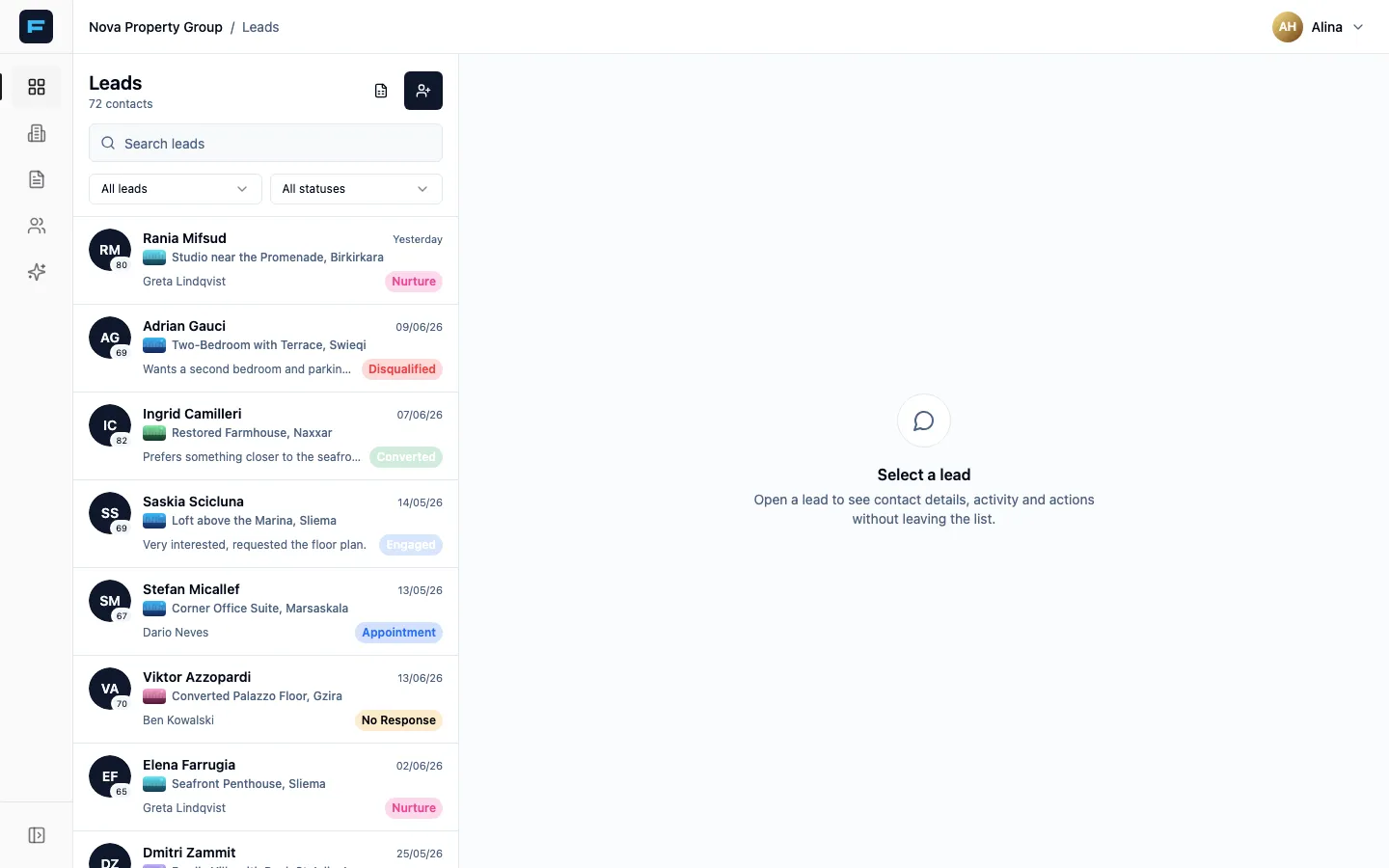
The icon rail, top to bottom
Section titled “The icon rail, top to bottom”| Icon | Where it goes | What lives there |
|---|---|---|
| Four squares | Leads | Every enquiry. The screen you will spend your day in. |
| Building | Campaigns | Adverts you are running, and leads grouped by which campaign produced them. |
| Document | Listings | Your properties. Create, edit, publish, share. |
| People | Agents | The team roster. Managers only, and never for a solo agency. |
| Sparkle | Marketing | AI video, AI images, and sending a listing out to leads. |
| Shield | Admin | Formule staff only. |
At the top right is your name and avatar. That menu holds Profile and Logout.
The screens that are not in the menu
Section titled “The screens that are not in the menu”A few important places are reached from elsewhere:
- Office Performance — from your profile, the Office performance button. Branch managers and super admins only.
- Your mini-site — from your profile, My public mini-site. Your personal public page, separate from your agency profile.
- Your agent profile — from your profile, Edit my profile. This is what clients see, and where WhatsApp gets connected.
- A lead’s full record — click any lead in the list.
On a phone
Section titled “On a phone”The rail becomes a row of tabs along the bottom: Leads, Campaigns, Listings, Agents, Marketing, and then Profile — or Admin if you are staff.
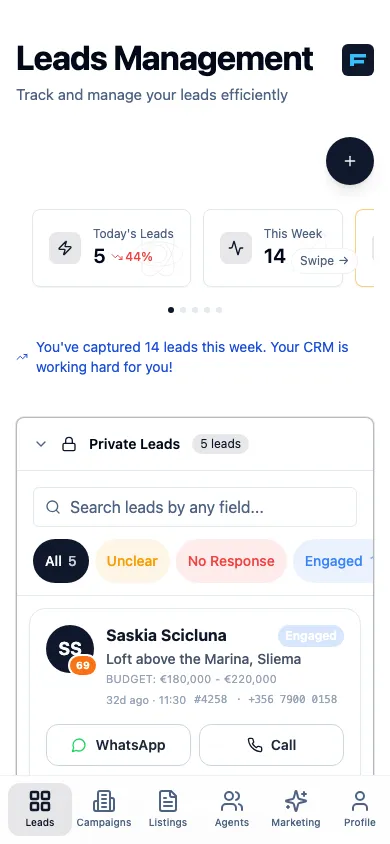
The lead list and the lead itself are two separate screens on a phone: tap a lead to open it, and use back to return to the list.
If an icon is missing
Section titled “If an icon is missing”You are not meant to have it. Agents is hidden from agents and from solo agencies. Admin only appears for Formule staff. Finance admins and advertisers see a reduced rail. Roles explains who gets what.