
Reading your performance numbers
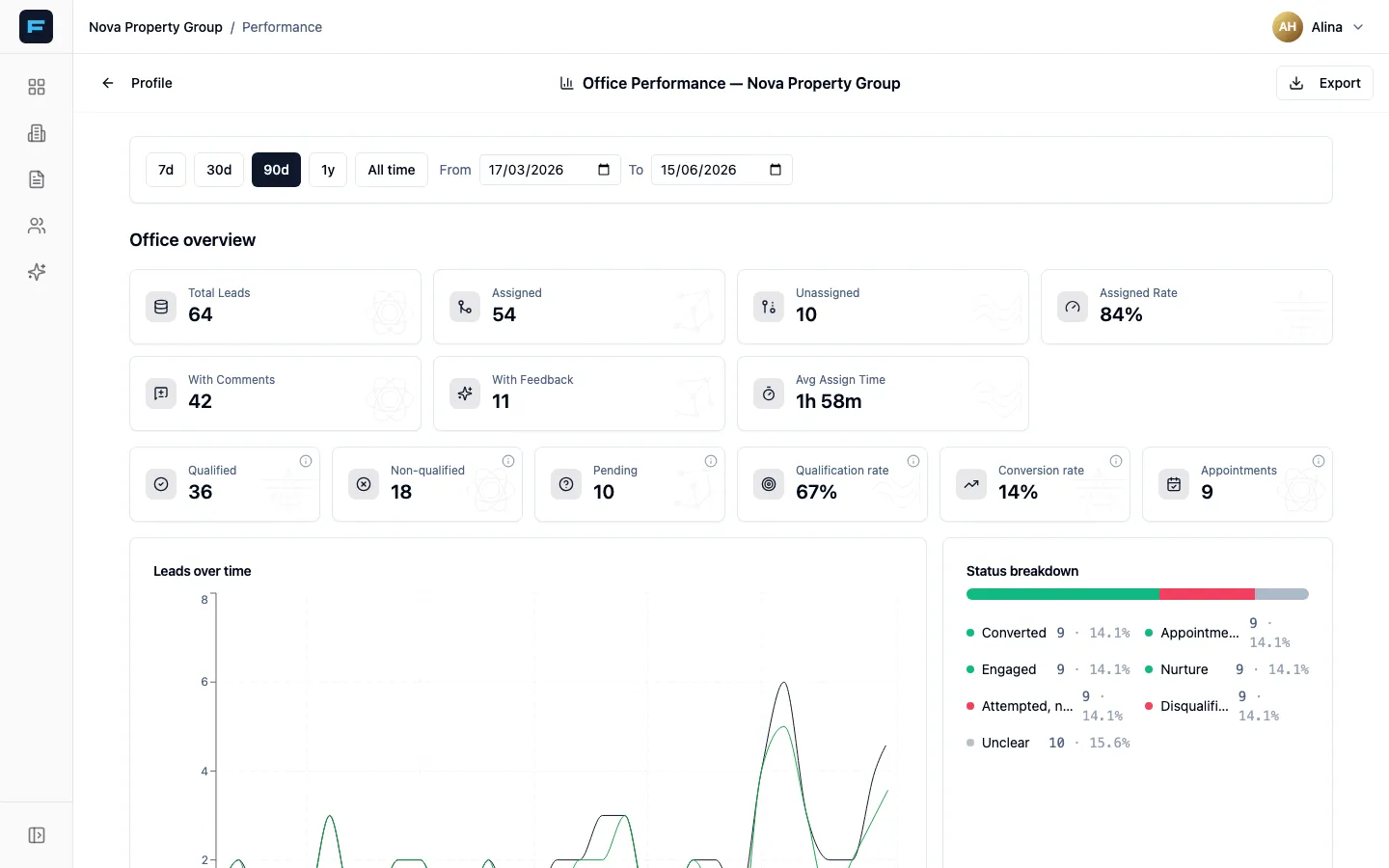
Choose a period first
Section titled “Choose a period first”Presets are 7d, 30d, 90d (the default), 1y and All time, or set From and To by hand. Every number below moves with it, so decide the period before you read anything.
Office overview
Section titled “Office overview”The first row is volume and ownership:
| Number | What it means |
|---|---|
| Total Leads | Enquiries received in the period. |
| Assigned / Unassigned | How many found an owner. |
| Assigned Rate | The share that did. |
| With Comments | How many were actually written up. |
| With Feedback | How many produced a follow-up exchange. |
| Avg Assign Time | How long an enquiry waited before somebody owned it. |
The second row is quality:
| Number | What it means |
|---|---|
| Qualified / Non-qualified / Pending | How leads sorted out once worked. |
| Qualification rate | The share worth pursuing. |
| Conversion rate | The share that became business. |
| Appointments | Viewings booked. |
Then three charts: Leads over time, Status breakdown, and Top properties.
The two numbers that predict revenue
Section titled “The two numbers that predict revenue”Most managers read Total Leads first. It is the least useful number on the page — it measures your advertising, not your agency.
Avg Assign Time is the one that matters. It is the gap between an enquiry arriving and somebody owning it, and it is the clearest predictor of whether that enquiry turns into anything. If it is measured in hours, fix that before you spend another euro on adverts.
With Comments is the second. A lead with no comment has not been worked, whatever its status says. If assignment is fast but comments are thin, your problem is follow-through, not routing.
The agent leaderboard
Section titled “The agent leaderboard”Sortable by Leads, Assigned, Qualified, Qual. rate, Appt., Conv., % Comments, Avg Response and Last Activity.
Click any row to drill into that agent — their leads over time, their status breakdown, their top properties and their recent leads.
Read it in this order:
- Avg Response — who is slow.
- % Comments — who takes leads without working them.
- Conv. — who closes.
An agent with a high lead count and a low comment percentage is not busy. They are sitting on your pipeline.
Exporting
Section titled “Exporting”The Export menu downloads CSVs of Office KPIs, Status breakdown, Time series, Agent leaderboard and Raw leads. Filenames carry the agency and the date range, so they stay identifiable in a downloads folder.
Use Raw leads when you want to do your own analysis — it is the underlying data, not the summary.