
Campaigns and marketing
Two screens do the work here. Campaigns is where adverts live and where you see what they produced. Marketing is the toolbox for making the creative.
Campaigns
Section titled “Campaigns”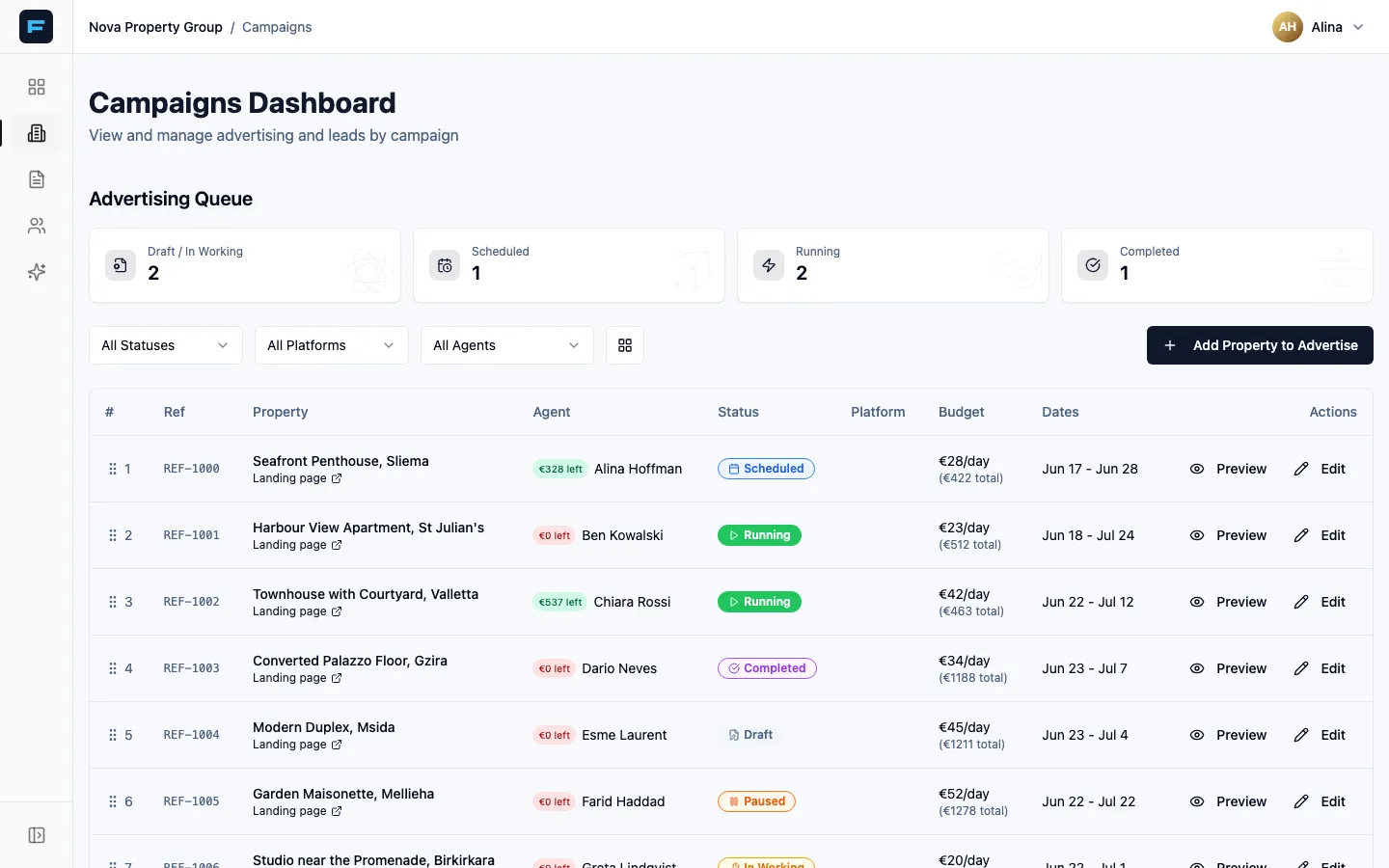
The top half is the Advertising Queue — every property submitted for advertising, counted by Draft / In Working, Scheduled, Running and Completed, filterable by status, platform and agent.
Submitting a property to advertise
Section titled “Submitting a property to advertise”-
Press Add Property to Advertise.
-
Property — choose a listing. If you have none, the wizard sends you to Listings first.
-
Options — choose Use my photos (“exactly what’s on the listing”) or Enhance my photos (AI upscale and colour correction, with a note that it adds review time).
-
Preview — see it as a Facebook or Instagram post.
-
Submit — add notes for whoever runs the advert, and send it.
Who can do what: anyone signed in can view and submit. Changing status, budget or order needs an admin or advertiser. Deleting needs an admin. Pushing to Meta needs a super admin or advertiser.
Leads by campaign
Section titled “Leads by campaign”The bottom half groups your leads by the campaign that produced them, sortable by Lead Count or Recent Activity. Each card shows the lead count, the last activity and the top agent, and its menu offers View Leads.
If a campaign is not yet tied to a property, use Link to Landing Page to connect it to a listing. Do this — it is what makes cost-per-lead answerable.
The Marketing Center
Section titled “The Marketing Center”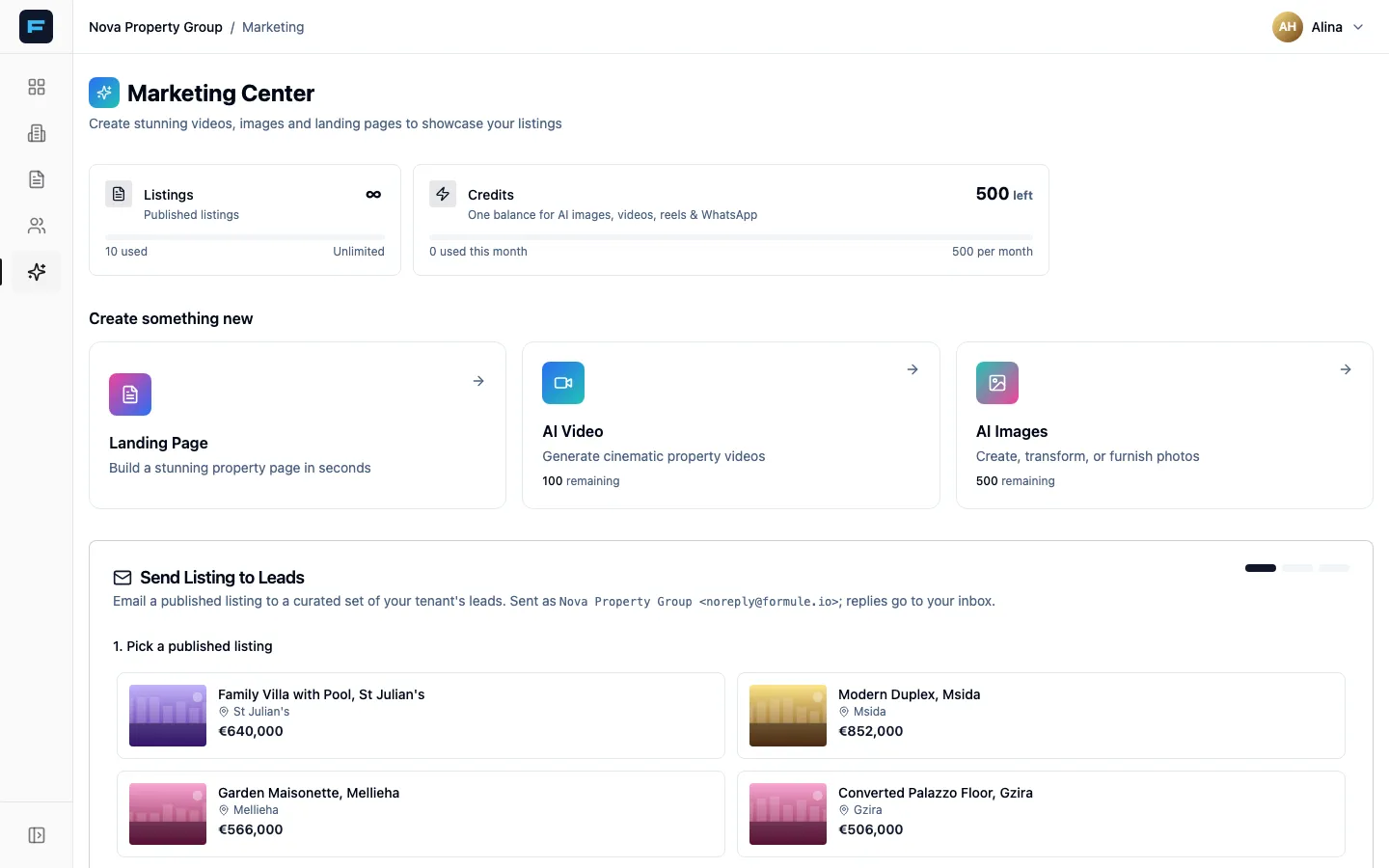
Across the top: your Listings count and your Credits balance, with the monthly allowance. AI video costs 5 credits; an AI image costs 1.
Landing Page
Section titled “Landing Page”Landing pages come from listings — there is no separate builder. The card tells you how many listings you have and sends you to Manage Listings. Publish a listing and its page exists.
AI Video
Section titled “AI Video”Create Talking-Head Video, Create Listing Reel, or a free-form Generate Video. The generator offers a source image or video, style presets or a custom prompt, an aspect ratio (16:9, 9:16 for reels, 1:1, 4:5) and a duration of 4, 6 or 8 seconds.
AI Images
Section titled “AI Images”Three tools:
- Photo Transformer — virtual staging, day-to-night, renovations.
- Floor Plan Furnisher — puts furniture on an architectural floor plan in a chosen style.
- Listing Poster — a branded advert poster with your photo, contact details and agency logo.
A generated image can be handed straight to the video tool.
Everything you make lands in My Creations, under Videos and Images.
Send a listing to your leads
Section titled “Send a listing to your leads”Email a published listing to a filtered set of leads. Available to super admins, and to admins, company admins and advertisers on the agency.
-
Pick a published listing.
-
Filter and select leads — by source (advert or web-only), status, agent and preferred location. You get a table of who will receive it.
-
Compose & send — set the reply-to address, a subject, and an optional intro message.
{{lead_name}}inserts each recipient’s name. The listing’s image, title, location, price and a View Property button are appended for you. -
Press Send Test to Me first. Always. Then Send Blast and confirm.